
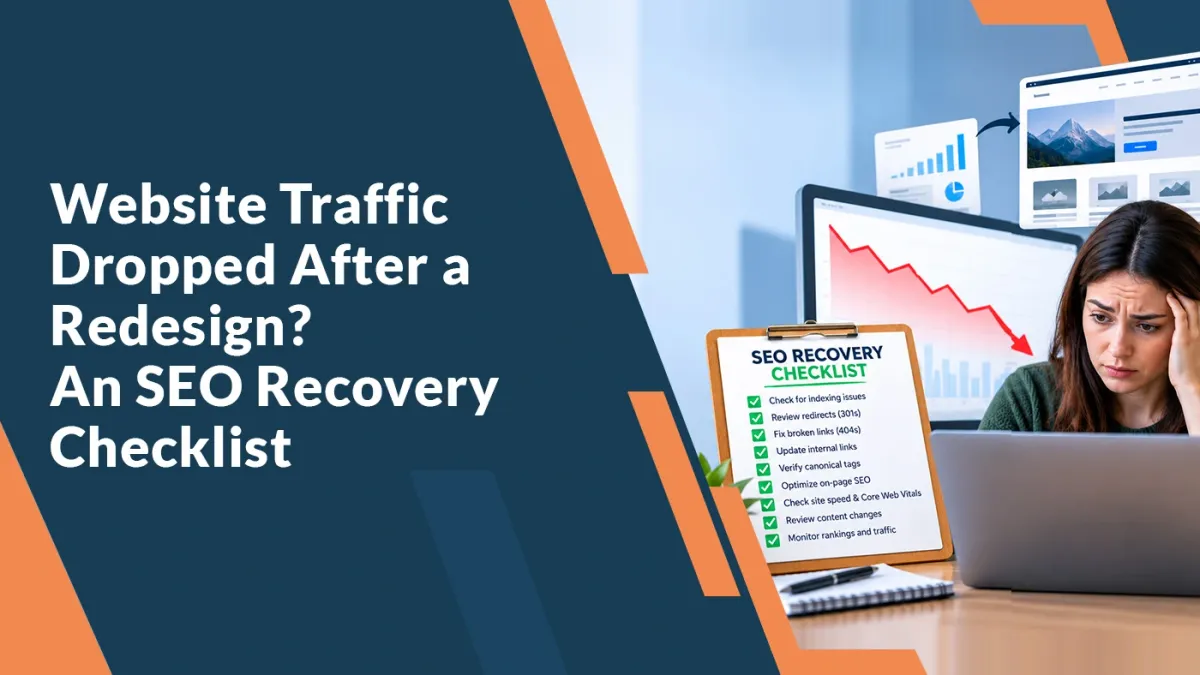
Website Traffic Dropped After a Redesign? An SEO Recovery Checklist
The new website looks better. It’s easier to navigate, the branding feels right, and everyone was happy when it launched.
Then you check the numbers.
Website visits are down. A service page that used to bring in enquiries has gone quiet. Perhaps the phone is ringing less, too.
It’s a frustrating position, especially when the redesign was supposed to help your business grow. But before you assume the whole project was a mistake, find out what actually changed.
A redesign can affect your URLs, content, tracking, internal links, and the way search engines access your pages. Some problems need an immediate fix. Others take time to resolve after the fix is in place.
If your website traffic dropped after a redesign, start by checking your tracking. Then investigate indexing restrictions, changed URLs, redirects, missing content, and internal links. Prioritize the pages that previously generated qualified enquiries.
This checklist walks through that process, including how to protect the content that AI search tools may use as a source.
1. Find out what dropped: traffic, visibility, or enquiries
These are three different problems, and they need different responses.
Your analytics might show fewer visits because the tracking code was left off the new website. Your Google traffic might genuinely have fallen because important pages disappeared. Or visitors might still be arriving, but a broken booking form is stopping them from contacting you.
Start with three sources of information:
Google Analytics: Are recorded visits down? Which channels and landing pages changed?
Google Search Console: Did Google Search clicks and impressions fall?
Your enquiry records: Did actual calls, form submissions, and bookings decline?
The numbers won’t match exactly. Search Console clicks and Analytics sessions measure different things. Look for changes in direction rather than expecting identical totals.
Mark the launch date in your reporting. Compare equivalent periods before and after it, allowing for reporting delays. Include year-over-year comparisons if your business is seasonal.
Also check whether a Google update, lower seasonal demand, or a change in advertising happened around the same time. The redesign date is a useful clue, but it isn’t proof of the cause.
2. Check that your tracking and contact tools survived the launch
Before rewriting pages or changing SEO settings, test the basics.
Visit the homepage, a service page, a blog post, and your contact page. Confirm that your analytics setup works across the new templates and uses the intended property.
Then complete a real enquiry journey.
Submit a test form. Check whether it reaches the right inbox or CRM. Try the booking tool on a phone. Tap the phone number and confirm that it dials the correct number.
Check whether:
Analytics and tag-management tools are installed where needed.
Consent settings behave as intended.
Forms display a clear success or error message.
Enquiries reach the right destination.
Booking widgets work on mobile.
Conversion events fire for the intended action.
An event firing when someone opens a form is different from an event firing after a successful submission.
For a service business, this distinction matters. A dashboard can look healthy while genuine enquiries are being lost between the website and the team.
3. Remove accidental barriers to crawling and indexing
Developers often keep unfinished websites out of search results. The trouble begins when those restrictions are carried into the live site.
Ask your developer or SEO specialist to check:
noindex tags in the page HTML.
X-Robots-Tag response headers.
Blocking rules in robots.txt.
Password protection or login requirements.
Firewall and security challenges.
Server errors affecting important pages.
A page intended to appear in search should be accessible, return a successful response, and have no unintended indexing restriction.
There is an important difference between crawling and indexing. A robots.txt rule controls crawler access. A noindex instruction tells a supporting search engine not to index a page, but the crawler must be able to access that instruction.
Blocking a URL in robots.txt is therefore not a reliable way to remove it from Google’s index.
Use Search Console’s URL Inspection tool on a few important pages. Review the indexed version and run a live test after changes. A successful live test helps confirm accessibility; it does not guarantee indexing or rankings.
Keep deliberate restrictions on private or unfinished content. The goal is to remove accidental blocks from pages that should be public.
4. Match old URLs to their correct destinations
This is one of the most valuable checks when a redesign changes page addresses.
Imagine that your old site had a page at:
/services/emergency-plumbing
The new version is at:
/emergency-plumber
Someone clicking an old search result, bookmark, or directory link still needs to reach the right service.
Build a list of old URLs using whatever records you have: previous sitemaps, Analytics landing-page reports, Search Console exports, CMS backups, and backlink reports.
Then assign each URL a clear outcome:
Avoid sending every removed page to the homepage. A visitor looking for a specific service needs a relevant destination.
Google recommends permanent server-side redirects for permanent moves. Where possible, redirect straight to the final page rather than through several intermediate URLs.
Test the destination as well as the redirect. It should load correctly and answer the same underlying need.
For migrated URLs, Google recommends retaining redirects for at least a year. Keeping useful redirects longer can also help people following older links.
5. Recover useful content that disappeared
Sometimes the new website is cleaner because much of the old content was removed.
That can be a good decision when the old material was repetitive or inaccurate. It becomes a problem when the redesign removes information that helped customers understand your services.
Compare the old and new versions of your most important pages.
Look for missing:
Service descriptions and eligibility details.
Questions customers ask before buying.
Location-specific information.
Process explanations.
Relevant examples, photographs, or case studies.
Information about the people providing the service.
Consider a hypothetical accounting firm. Its old bookkeeping page explained monthly reporting, payroll coordination, who the service was suitable for, and how onboarding worked.
The replacement page says only: “Smart financial solutions for growing businesses.”
The new sentence may fit the design, but it leaves important customer questions unanswered.
Restore the useful detail in a format that suits the new website. You can use shorter paragraphs, clearer headings, and better navigation without stripping the page of substance.
Don’t copy every old paragraph back automatically. Use the previous page as evidence of what changed, then decide what customers still need.
6. Check canonical tags and update the sitemap
A canonical tag helps indicate the preferred URL when similar or duplicate versions of a page exist.
After a redesign, mistakes can come from shared templates. A service page might accidentally identify the homepage, a staging address, or an outdated URL as its preferred version.
Check representative pages from each template.
Their canonical signals should match the intended live URLs. Redirects, internal links, and sitemap entries should support the same preferred versions. Canonical tags are signals, rather than a guarantee that Google will select your preferred URL.
Next, inspect the actual XML sitemap.
It should list the current canonical pages you want discovered. Remove unintended staging addresses, broken URLs, and outdated entries. Use accurate modification dates when meaningful content changes occur.
Submit the updated sitemap in Search Console and check for processing errors. Submission helps discovery, but it does not guarantee that the listed pages will be crawled or indexed.
If the domain stayed the same and only page paths changed, you do not need Search Console’s Change of Address tool. That tool applies to supported domain or subdomain moves.
7. Rebuild internal links to important pages
A service page can survive a redesign and still become harder to find.
Perhaps it disappeared from the main menu. Perhaps the blog posts that linked to it were removed. Or a clickable card was rebuilt in a way that doesn’t provide a normal crawlable link.
Review the routes into your important pages:
Main navigation.
Relevant service pages.
Related blog posts.
Location pages.
Breadcrumbs, where useful.
Links should point directly to the current destination and use text that helps people understand what they will find there.
For example, “monthly bookkeeping services” gives more context than several identical “learn more” links.
Ask your developer to check that key navigation uses crawlable links, generally HTML anchor elements with valid destinations.
An XML sitemap is useful, but it does not replace a website structure that customers can follow.
8. Check what search engines can actually see
A page may look complete in your browser while its important content depends on scripts that fail, resources that are blocked, or an interaction that a crawler does not perform.
This deserves attention when the redesign introduces a new page builder or JavaScript framework.
Inspect the rendered version of important pages. Confirm that the main service text, headings, and links are present.
Also investigate persistent loading errors and situations where content appears only after someone clicks, scrolls, or signs in.
Google can render JavaScript, but crawling, rendering, and indexing involve separate processing steps. A visually successful browser test is not enough to confirm that the page is working for search.
For other crawlers, don’t assume identical rendering capabilities. Making essential information available in accessible HTML reduces dependence on a complex browser experience.
9. Review titles, mobile performance, and page usability
A redesign can introduce the same generic title across dozens of pages or replace clear service headings with vague brand language.
Check that each important page has a descriptive title and a main heading that accurately explains its subject. Search engines may generate their own displayed title, so your preferred title is not guaranteed to appear exactly as written.
Then use the site on an ordinary phone connection.
Does the main content load promptly? Do buttons move while you try to tap them? Does the booking tool respond? Is a large video delaying the useful part of the page?
Use PageSpeed Insights and available real-user data to investigate loading, interaction responsiveness, and layout stability. Core Web Vitals matter, but good scores alone do not guarantee strong rankings.
Prioritize problems that stop people from reading, navigating, or contacting you. A perfect score is less useful than a functioning enquiry journey.
10. Protect visibility and citations in AI search
A redesign review should also consider the pages that AI search systems might retrieve and reference.
An AI citation is a source link attached to an AI-generated answer. It is different from a simple brand mention, a crawler visit, or a referral visit to your website.
Those distinctions matter when you measure visibility.
Preserve the sources people and systems can reference
If an informative page moves, provide a relevant redirect. If a case study disappears, decide whether its useful evidence should be preserved elsewhere.
Keep valuable explanations, original examples, author information, and supporting references accessible.
A redesign that replaces specific information with broad marketing statements leaves readers with less to evaluate. It also leaves less useful source material available to systems retrieving information from the web.
Check search crawler access separately from training preferences
Different AI products use different crawlers and controls.
For example, OpenAI distinguishes OAI-SearchBot, which supports ChatGPT search discovery, from GPTBot, which relates to potential model-training use. Those preferences can be set independently.
If ChatGPT search visibility is part of your strategy, review access for OAI-SearchBot and check whether your security infrastructure blocks legitimate requests. Allowing access creates an opportunity for retrieval; it does not guarantee a citation.
Review other providers’ current documentation separately rather than assuming one setting controls every platform.
Understand Google’s AI search requirements
Google states that a page must be indexed and eligible for a search snippet to qualify as a supporting link in AI Overviews or AI Mode.
There is no special AI schema or additional machine-readable file required for those features. Foundational SEO still applies, and eligibility does not guarantee inclusion.
Make the article useful as a source
As an editorial practice, give readers clear answers they can verify:
Answer the section’s question directly.
Explain the steps and their limitations.
Label hypothetical examples.
Cite original sources for technical claims.
Use genuine experience or original data when available.
Identify the real author or reviewer.
Update material when the underlying guidance changes.
These practices improve clarity and accountability. They are not a proven formula for securing LLM citations.
If you use Article or BlogPosting structured data, make sure it accurately reflects the visible article, authorship, and publication information. Structured data can help describe the page; it is not a citation guarantee.
11. Track recovery at page level
A rising sitewide traffic graph can hide a service page that still isn’t performing.
Create a recovery tracker for the pages that matter commercially. Record:
Old and current URLs.
The problem found.
The person responsible for the fix.
The date the fix went live.
Indexing status.
Search clicks and impressions.
Actual qualified enquiries.
Where URLs changed, compare the old page’s performance with its mapped replacement. Looking only at the old address can make a successful move appear to be a continuing loss.
Review results weekly using consistent date ranges and filters. Annotate additional changes so you can distinguish the effects of a redirect fix from a later content rewrite.
For AI visibility, track referral visits where they are identifiable and record citations separately. A small set of repeatable prompts can provide observations, but answers vary by time, location, context, and platform.
Google includes traffic from AI Overviews and AI Mode within Search Console’s Web performance reporting. Don’t treat every change in that report as a separately measured AI effect.
What should you fix first?
Work in this order unless your investigation reveals a more urgent business problem:
Save backups and a change log before making further alterations. Avoid launching another broad redesign while you are still trying to understand the first one.
How long does SEO recovery take?
It depends on what broke.
A tracking issue may be corrected quickly, although missing historical data may remain missing. A technical fix still needs to be discovered and processed by search engines. Restoring removed content involves a different recovery process from moving an unchanged page.
Google notes that URL migrations can take weeks or longer to process, depending on site size and crawl conditions. That is migration guidance, not a promise that every traffic loss will recover within a set period.
Look for evidence of progress: corrected pages being crawled, intended URLs being indexed, relevant queries returning, and qualified enquiries improving.
Frequently asked questions
Does a website redesign always hurt SEO?
No. The outcome depends on what changes and how those changes are managed. A redesign can improve the website while preserving useful content, stable URLs, and access for search engines.
Should I put the old website back?
Consider a rollback when a serious launch problem cannot be repaired promptly and a reliable previous version is available. First assess the consequences for URLs, enquiries, integrations, and data. An uncontrolled rollback can introduce another set of problems.
Will submitting a sitemap restore my traffic?
It can help search engines discover current URLs. It will not repair broken redirects, missing content, indexing restrictions, or weak pages.
Can a redesign affect ChatGPT or Google AI citations?
It can change the accessibility and usefulness of pages those systems might reference. However, an observed citation change should be investigated rather than automatically attributed to the redesign.
Do I need an llms.txt file?
It is not a substitute for accessible pages, relevant content, or sound migration work. Google does not require special AI text files for AI Overviews or AI Mode, and adding a file does not guarantee citations across AI platforms.
Get help finding what changed
When a redesign is followed by fewer visits or enquiries, the most useful next step is a focused review of the affected pages.
Get Top Listed provides SEO services and website design support for businesses that want to improve their online presence.
If your website traffic dropped after a redesign, bring your launch date, examples of affected pages, and any before-and-after reports to the conversation. That gives the review a practical starting point.
Book a free consultation with Get Top Listed. Call +1 737-317-8518 or contact our team.